Plan the setup tasks you still need to complete.
Mobile Mechanic
Mobile Mechanic Startup Guide
Digital downloadPrint-ready PDFInstant access
1 / 4
Real-world example
Look inside before you buy.
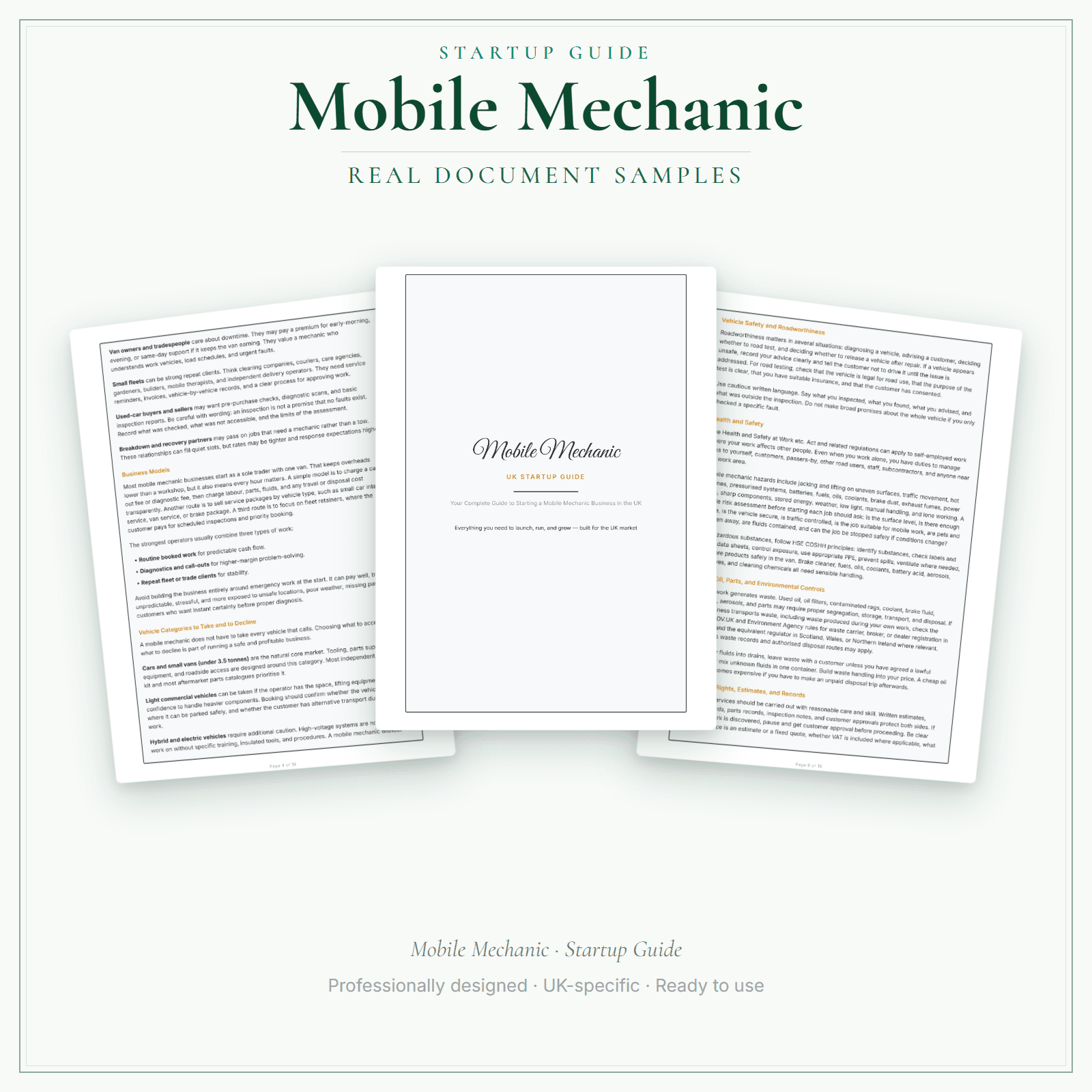
Pages from the Mobile Mechanic Startup Guide.
Going self-employed as a mobile mechanic means handling business registration, motor trade road-risk insurance (separate from standard van cover), COSHH procedures for vehicle fluids, waste oil disposal duties, DVSA-correct wording (you can pre-check, not test), and recurring diagnostic subscription costs that the price needs to cover. This guide covers business setup, insurance written for mobile mechanic work, vehicle category boundaries (especially EV/HV high-voltage caution), pricing call-outs versus diagnostics versus repair labour, parts and tool economics, and the first-90-days checklist for moving from workshop tech to a steady mobile round.
Covers business registration, motor trade road-risk insurance, COSHH for vehicle fluids and chemicals, waste oil disposal, DVSA MOT-versus-pre-MOT distinction, and diagnostic subscription planning
Includes a first-90-days checklist for the practical move from workshop tech to running your own mobile diary
Addresses the real decisions: which vehicle categories to take and decline (especially EV/HV), pricing call-outs versus diagnostics versus repair labour, and tool versus subscription costs
Preview pages
Preview what's inside
In the pack
What's included
- Business Overview
- Startup Cost Breakdown
- Regulatory Requirements
- Insurance Requirements
- Essential Equipment & Tools
- First 90 Days Launch Timeline
- Common Mistakes to Avoid
- Useful Links & Resources
- Marketing Your Business
- Financial Setup
- Finding Your First Customers
- Scaling & Growth
Preview pages
Made for the work
Put this product to work.
Use this read-and-print guide to organise the steps involved in starting your business. Work through its sections and check current requirements for your location and services.
Start with a task such as:
Identify costs and practical decisions to investigate.
Keep the guide alongside your own startup notes.
- Instant download
- Built in the UK
- One-time purchase
- Secure checkout
- Refund policy
- Support by email
Frequently Asked Questions
How do I receive Startup Guide?
After payment, look for your LaunchKit download email in the inbox you used at checkout. Open its link to your download page and download the files listed for your order. You'll receive a print-ready PDF, ready to read or print. Keep a copy of your downloaded files. If the email is missing or a link is not working, check your spam or junk folder, then contact hello@yourlaunchkit.co.uk with your checkout email address and order number, if you have it, for help recovering your files.
Can I edit these files?
PDF guide. Open on phone, tablet or desktop. Read or print. Not designed for editing.
Is this legal or tax advice?
No. LaunchKit templates are practical business resources. Review against your own circumstances and check suitability for your business.
Real reviews
What customers say
Swipe to read more customer reviews →
Free first
Setting up as a sole trader? Start with the free UK checklist.
The free UK sole trader setup checklist covers the generic first-90-day admin: HMRC registration, VAT, insurance, a business bank account, records and pricing. This startup guide then covers the operating decisions specific to your trade.
Open the free sole trader setup checklist →Useful next steps
Useful guides for your business.
How to Start a Mobile Mechanic Business in the UK
To start a mobile mechanic business in the UK, define the jobs your van can realistically deliver, understand roadside and private-land limits, insure the work properly, price call-out, diagnosis and…
Read the guide →Essential business documents for UK mobile mechanics in 2026
A UK mobile mechanic needs records that travel with the job: call-out details, diagnostic notes, customer approval, parts ordered, work completed, invoice and warranty limitation note. The goal is…
Read the guide →Mobile Mechanic Expense Tracker UK: Stop Losing the Deductions That Cut Your Tax
This guide covers expense and mileage-record habits for a mobile mechanic, including the 2026/27 55p mileage example. Eligible costs may reduce taxable profit where the rules are met and adequate…
Read the guide →Why LaunchKit
Built for the business you actually run.
Every mobile mechanic pack is checked so its page says exactly what format you get and what each tier includes. Templates are practical resources, not legal or tax advice — review against your own circumstances before use.
Complete your toolkit
More for Mobile Mechanic
Business documents
Business Documents — Premium
17 business-record templates for Mobile Mechanic businesses, each supplied as a fillable PDF and an editable DOCX file. Every template is also included in one fill-online HTML bundle: add your business details and brand colour in the sidebar of each template (they are saved per document, not shared between templates), then send clients a locked copy they can fill in with one click. Answers you haven't changed for 60 days are deleted the next time you open the form, and ‘Prepare copy for clients’ clears them; your business details and colour are kept. Type into the PDF fields or use a DOCX-compatible editor to change the business name, logo and wording. The exact delivered-file list is shown on this page. These practical templates do not provide legal, clinical or regulatory advice or certification, and do not replace any official records your work requires.
£19.99View →
Financial formsFinancial Forms Bundle — Premium
12 distinct financial record templates for Mobile Mechanic businesses, each supplied as a fillable PDF and an editable DOCX file. Every template is also included in one fill-online HTML bundle: add your business details and brand colour in the sidebar of each template (they are saved per document, not shared between templates), then send clients a locked copy they can fill in with one click. Answers you haven't changed for 60 days are deleted the next time you open the form, and ‘Prepare copy for clients’ clears them; your business details and colour are kept. Type into the PDF fields or use a DOCX-compatible editor to change the business name, logo and wording. The delivered bundle includes a second invoice template under a legacy filename in both formats; it is not counted or advertised as a separate form type. These are templates, not automated spreadsheet software or accounting, tax or legal advice.
£19.99View →