Prepare your Client Registration Property Details using the included template.
Electrician
Electrician Business Documents — Premium
 See all 4 previews
- 17 business-record templates — fillable PDF, editable DOCX, and one fill-online HTML bundle
- Includes Client Registration Property Details, Site Survey & Safety Observation Record and Consent Liability Waiver, plus 14 more
- Fillable PDF + DOCX + fill-online HTML · Two secure downloads
Digital downloadFillable PDF + DOCX + fill-online HTMLTwo secure downloads
1 / 4
Real-world example
See how you can fill in and personalise your documents.
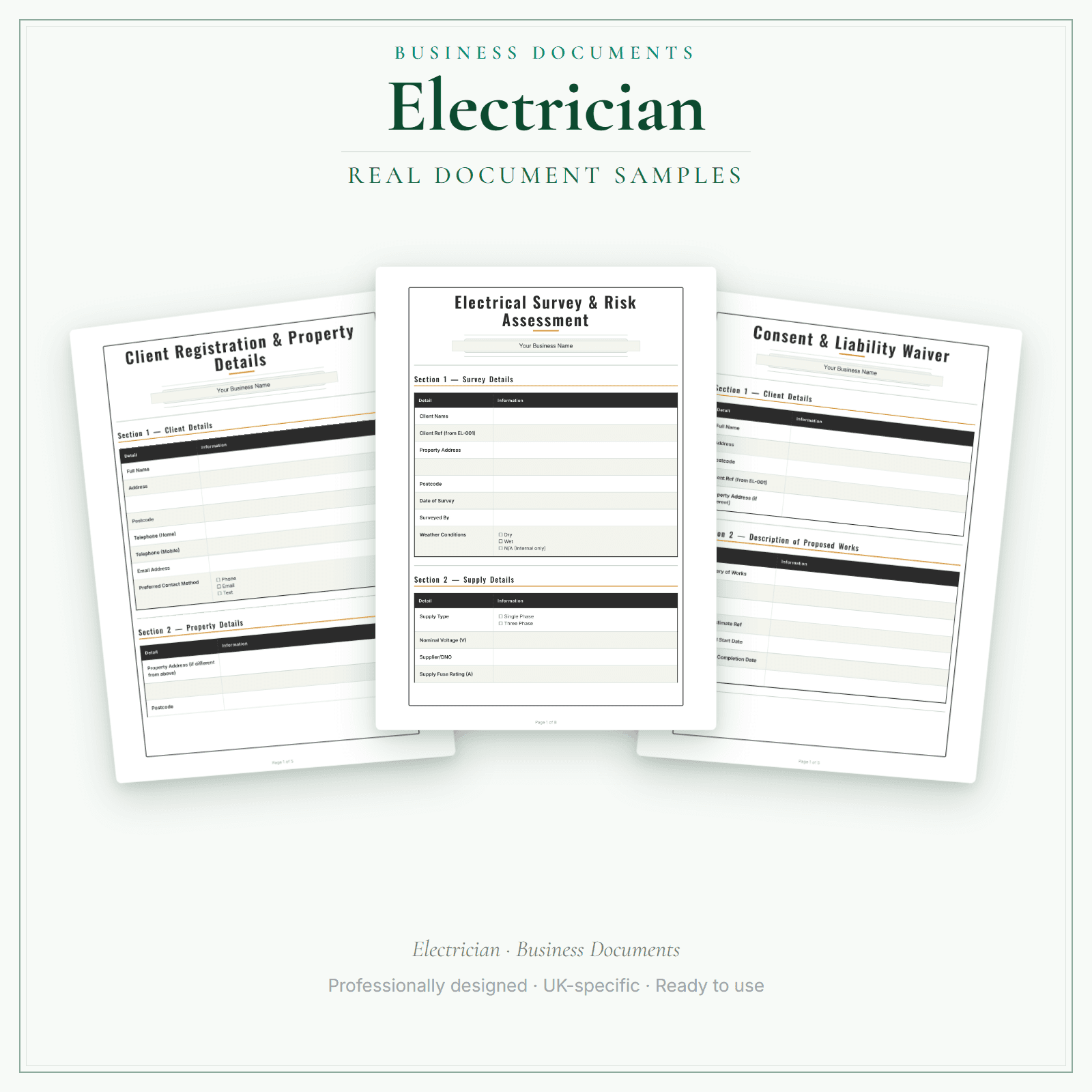
A short example using the Client Registration & Property Details.
17 business-record templates for electrical businesses, each supplied as a fillable PDF and an editable DOCX file. Every template is also included in one fill-online HTML bundle: add your business details and brand colour in the sidebar of each template (they are saved per document, not shared between templates), then send clients a locked copy they can fill in with one click. Answers you haven't changed for 60 days are deleted the next time you open the form, and ‘Prepare copy for clients’ clears them; your business details and colour are kept. Type into the PDF fields or use a DOCX-compatible editor to change the business name, logo and wording. The exact delivered-file list is shown on this page.
17 documents, each supplied as a fillable PDF and an editable DOCX file, with every document also included in one fill-online HTML bundle, matching the exact delivered-file list shown on this page
Use a DOCX-compatible editor to change the business name, logo and body wording
Fill in online in your browser: add your business details and brand colour in the sidebar of each template (they are saved per document, so you add them in each one), with every field and tick box completable on screen and progress saved on your device. Answers you haven't changed for 60 days are deleted the next time you open the form, and ‘Prepare copy for clients’ clears them; your business details and colour are kept
One click prepares a locked copy to send your clients — they can fill it in but cannot alter your business details, and it all works fully offline with nothing uploaded
Price£19.99
Preview pages
Preview what's inside
In the pack
What's included
- Client Registration Property Details
- Site Survey & Safety Observation Record
- Consent Liability Waiver
- Service Agreement Terms
- Quote Estimate Form
- Official Electrical Record Reference & Receipt Log
- Minor Works Job & Official Record Reference Log
- Inspection Booking & EICR Reference Log
- Completion & Handover Evidence Checklist
- GDPR Privacy Notice
- Accident Incident Report
- COSHH Assessment
- Cancellation Refund Policy
- Complaint Feedback Form
- Business Insurance Declaration
- Photo Consent
- PAT Testing Record
Preview pages
Who it's for
Who this electrician pack is for
Most of an electrician's paperwork sits around the work rather than inside it. This Premium pack gives you 17 electrician templates, including a quote and estimate form, a site survey and safety observation record, a completion and handover evidence checklist, a PAT testing record and logs for referencing the official records you issue.
- Self-employed electricians and small contractors doing domestic and light commercial work.
- Electricians who want quotes, site surveys and handover evidence recorded the same way for every job.
- Contractors who want the reference numbers of the certificates they issue logged alongside each job.
Made for the work
Put this product to work.
Choose the included record that fits the task, add the details for your business and check the finished copy before using it. The contents listed above apply to this tier.
Start with a task such as:
Prepare your Site Survey & Safety Observation Record using the included template.
Prepare your Consent Liability Waiver using the included template.
Compare the tiers
How the tiers compare
Document contents vary by tier. Check each tier's exact count and included list, as well as its personalisation and editing options. Pick the format that fits how you want to work.
Scroll sideways to compare tiers.
Compare features
Essential
£5.99
5 distinct form types
You're viewing
Premium
£19.99
17 distinct form types
Delivered as
PDF with fillable business-name header; remaining fields print and handwrite
Fillable PDF, DOCX + browser
Add your business name
Change design colours
Add your own logo
Re-word the body text
Type into every document field
Print or save as PDF
Extra software required
A PDF reader for the header
Only to edit the Word files
You're viewing this
- Instant download
- Built in the UK
- One-time purchase
- Secure checkout
- Refund policy
- Support by email
Frequently Asked Questions
How do I receive Business Documents — Premium?
After payment, look for your LaunchKit download email in the inbox you used at checkout. Open its link to your download page and download the files listed for your order. You'll receive two secure downloads: the existing bundle of interactive fillable PDFs plus editable Word (.docx) files, and a separate fill-online HTML bundle containing the browser versions. Nothing is removed, and both downloads are yours to keep. Premium ships blank; Studio does not automatically pre-fill this Premium download. Keep a copy of your downloaded files. If the email is missing or a link is not working, check your spam or junk folder, then contact hello@yourlaunchkit.co.uk with your checkout email address and order number, if you have it, for help recovering your files.
Can I edit these files?
Yes. Your first download contains interactive fillable PDFs plus editable Word (.docx) files. Your second download is the fill-online HTML bundle: open it in a browser, add your business details and brand colour, complete the fields on screen, and prepare a locked copy for a client. Premium ships blank for you to personalise; it is not automatically pre-filled from a website.
Is this legal or tax advice?
No. LaunchKit templates are practical business resources. Review against your own circumstances and check suitability for your business.
Should I start with Essential or Premium electrician documents?
Essential covers the 5 forms for taking on a job. Premium has 17 templates in all and adds a quote and estimate form, a completion and handover checklist, a PAT testing record and reference logs for your official records.
Do these replace electrical certificates?
No. They are business records, not certificates or notifications. Use your scheme's official forms for those, and check the guidance on GOV.UK and from your competent person scheme.
Real reviews
What customers say
Useful next steps
Useful guides for your business.
How an EICR service line gives an electrician recurring landlord revenue
Landlord EICR work repeats, so it can build a steady book. How a competent UK electrician can record each report's next-inspection date, explain findings accurately and keep remedial quotes separate…
Read the guide →Essential business documents every UK electrician should have ready
A self-employed UK electrician needs a small set of business-admin documents: a written agreement, quotation or estimate, invoice, risk record where appropriate, privacy information and clear…
Read the guide →How to quote electrical work (UK): a step-by-step method that protects your price
Survey, materials, labour, per-point pricing, testing, certification and clear written terms. How UK electricians write a quote that holds its price.
Read the guide →Why LaunchKit
Built for the business you actually run.
Every electrician pack is checked so its page says exactly what format you get and what each tier includes. Templates are practical resources, not legal or tax advice — review against your own circumstances before use.
These are business-record templates, not electrical certificates. They do not issue or replace EICRs or Building Regulations compliance certificates.
Complete your toolkit
More for Electrician
Financial forms
Financial Forms Bundle — Premium
14 distinct financial record templates for electrical businesses, each supplied as a fillable PDF and an editable DOCX file. Every template is also included in one fill-online HTML bundle: add your business details and brand colour in the sidebar of each template (they are saved per document, not shared between templates), then send clients a locked copy they can fill in with one click. Answers you haven't changed for 60 days are deleted the next time you open the form, and ‘Prepare copy for clients’ clears them; your business details and colour are kept. Type into the PDF fields or use a DOCX-compatible editor to change the business name, logo and wording. The delivered bundle includes a second invoice template under a legacy filename in both formats; it is not counted or advertised as a separate form type. These are templates, not automated spreadsheet software or accounting, tax or legal advice.
£19.99View →
Pricing calculatorPricing Calculator — Premium
This Excel workbook (.xlsx) helps UK electrical businesses work out each job. Enter your hours and hourly rate, materials with a markup, and a fixed fee such as a call-out or travel charge, then add VAT if you want it on the quote. Quote Builder and Quote Output print the quote. Swap the placeholder hours, materials and prices for your own. Five totals — invoiced, received, progress against your target, expenses and surplus — come from the job log and the expenses tracker. It is a pricing workbook, not an EICR, certificate, inspection tool or proof that the user is competent to offer any listed service. Check the scope, competence, insurance and notification route before advertising regulated work.
£14.99View →