Prepare your Cash Flow Forecast using the included template.
Event Planner
Event Planner Financial Forms Bundle — Customisable
 See all 4 previews
- 13 distinct browser-personalisable financial templates for Event Planner businesses
- Includes Cash Flow Forecast, Client Payment Record and Deposit Booking Terms, plus 10 more
- Browser-personalisable HTML · Instant access
Digital downloadBrowser-personalisable HTMLInstant access
1 / 4
Real-world example
See the template being personalised.
A short example using the Event Planner Financial Forms Bundle — Customisable.
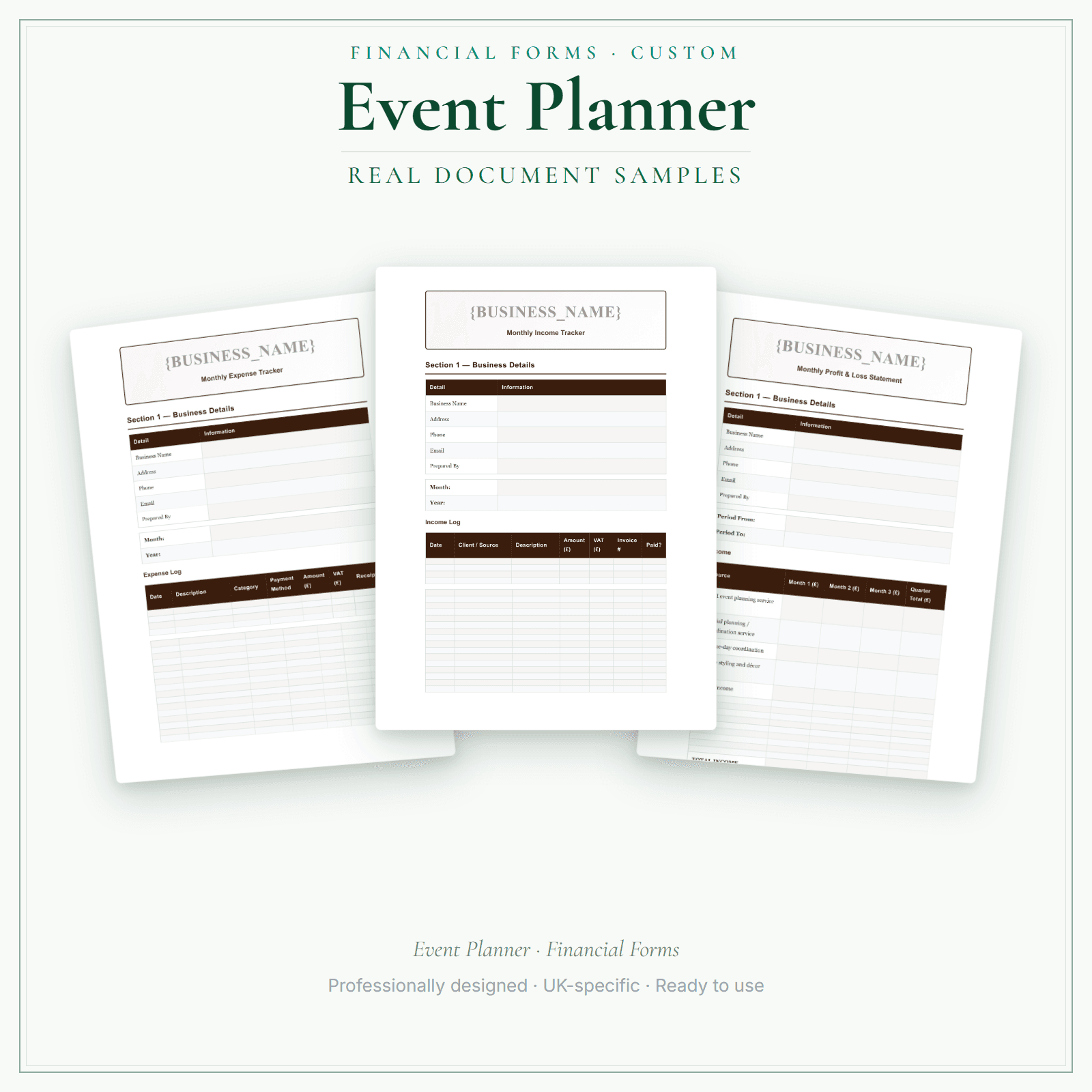
13 distinct browser-personalisable HTML financial record templates for Event Planner businesses. Add your business name and choose the design colours before saving or printing. Custom does not add logo upload or body-text editing; choose Premium for editable DOCX files. The delivered bundle includes an extra copy of the invoice under a legacy filename; it is not counted or advertised as a separate form.
13 distinct HTML financial form types, matching the included-document list shown on this page
Personalise the business name and design colours in your browser
An extra invoice copy under a legacy filename is not counted as a separate form
Price£13.99
Preview pages
Preview what's inside
In the pack
What's included
- Cash Flow Forecast
- Client Payment Record
- Deposit Booking Terms
- Expense Tracker
- Income Tracker
- Insurance Premium Tracker
- Invoice
- Mileage Log
- Payroll Summary
- Pricing Calculator
- Profit & Loss
- Receipt
- Staff Hours Pay
Preview pages
Who it's for
Who this event planning pack is for
Event planning money moves through you: client deposits and staged payments in, supplier deposits and balances out, often months apart. A planner's 13 money templates, in your business name and colours, include Deposit Booking Terms, a Client Payment Record, a Cash Flow Forecast and Staff Hours Pay for on-the-day helpers. Once the name and colours are set in your browser, print a set for each event you run and fill it in as the payments move.
- Planners taking staged payments who want each client's deposits and balances on one record.
- Event businesses paying freelance helpers who want hours written down on the day.
- Planners watching cash between a client's deposit and the suppliers' final invoices.
Made for the work
Put this product to work.
Choose the included record that fits the task, add the details for your business and check the finished copy before using it. The contents listed above apply to this tier.
Start with a task such as:
Prepare your Client Payment Record using the included template.
Prepare your Deposit Booking Terms using the included template.
Compare the tiers
How the tiers compare
These tiers include the same core forms. The difference is the file formats and how you can personalise, fill in and edit them. Pick the format that fits how you want to work.
Scroll sideways to compare tiers.
Compare features
You're viewing
Customisable
£13.99
13 distinct form types
Premium
£19.99
13 distinct form types
Delivered as
Browser-personalisable HTML
Fillable PDF, DOCX + browser
Add your business name
Change design colours
Add your own logo
Re-word the body text
Type into every document field
Print or save as PDF
Extra software required
Only to edit the Word files
You're viewing this
- Instant download
- Built in the UK
- One-time purchase
- Secure checkout
- Refund policy
- Support by email
Frequently Asked Questions
How do I receive Financial Forms Bundle — Customisable?
After payment, look for your LaunchKit download email in the inbox you used at checkout. Open its link to your download page and download the files listed for your order. You'll receive a ZIP of customisable HTML templates — open in any browser, personalise with your business name and design colours, then save or print as PDF. Keep a copy of your downloaded files. If the email is missing or a link is not working, check your spam or junk folder, then contact hello@yourlaunchkit.co.uk with your checkout email address and order number, if you have it, for help recovering your files.
Can I edit these files?
Browser-personalisable HTML templates. Add your business name and design colours, then choose Save editable copy to download your working HTML. Reopen that saved file to continue personalising it. This tier personalises the branding only; print the form and complete the answers by hand. Use Print / Save PDF for a separate copy to print. Save your editable copy before closing; changes are not automatically saved.
Is this legal or tax advice?
No. LaunchKit templates are practical business resources. Review against your own circumstances and check suitability for your business.
Can I track client deposits against supplier payments for an event?
Yes. Use the Client Payment Record for what each client has paid and the Expense Tracker for supplier deposits and balances, with a Cash Flow Forecast to see the gap between them; all three are among the 13 templates.
Useful next steps
Useful guides for your business.
How to Start an Event Planning Business UK
Start an event planning business in the UK with clear guidance on niches, contracts, deposits, pricing, insurance, risk and HMRC basics.
Read the guide →Essential business documents for UK event planners: what to have before the first deposit lands
Self-employed UK event planners coordinate multiple suppliers, hold client deposits, process personal data, and assume responsibility for day-of delivery across venues, catering, AV, and beyond. That…
Read the guide →Supplier contracts and deposit protection for UK event planners: coordinating without absorbing the risk
UK event planners typically coordinate six to fifteen independent suppliers for a single event: venue, caterer, AV company, florist, photographer, entertainment, transport, and more. Each holds a…
Read the guide →Why LaunchKit
Built for the business you actually run.
Every event planner pack is checked so its page says exactly what format you get and what each tier includes. Templates are practical resources, not legal or tax advice — review against your own circumstances before use.
Complete your toolkit
More for Event Planner
Financial forms
Financial Forms Bundle — Premium
13 distinct financial record templates for Event Planner businesses, each supplied as a fillable PDF and an editable DOCX file. Every template is also included in one fill-online HTML bundle: add your business details and brand colour in the sidebar of each template (they are saved per document, not shared between templates), then send clients a locked copy they can fill in with one click. Answers you haven't changed for 60 days are deleted the next time you open the form, and ‘Prepare copy for clients’ clears them; your business details and colour are kept. Type into the PDF fields or use a DOCX-compatible editor to change the business name, logo and wording. The delivered bundle includes a second invoice template under a legacy filename in both formats; it is not counted or advertised as a separate form type. These are templates, not automated spreadsheet software or accounting, tax or legal advice.
£19.99View →
Pricing calculatorPricing Calculator — Premium
Open the Excel workbook (.xlsx) and price each event for UK event planners: multiply hours by your hourly rate, add materials with a markup, then add a fixed fee such as a call-out or travel charge. Put VAT on the quote only if you choose to. The Quote Builder and Quote Output sheets make the printable quote after the example hours, materials and prices are replaced. The job log and expenses tracker update five totals: invoiced, received, progress against your target, expenses and surplus.
£14.99View →