Enter your hours, hourly rate, materials and any fixed fee.
Fencing Contractor
Fencing Contractor Pricing Calculator — Premium
 See all 4 previews
- Work out a price from your hours, hourly rate, materials and a fixed fee
- Includes Service Pricing, Quote Builder and Quote Output, plus 5 more
- Best used in Microsoft Excel · Instant access
Digital downloadBest used in Microsoft ExcelInstant access
1 / 4
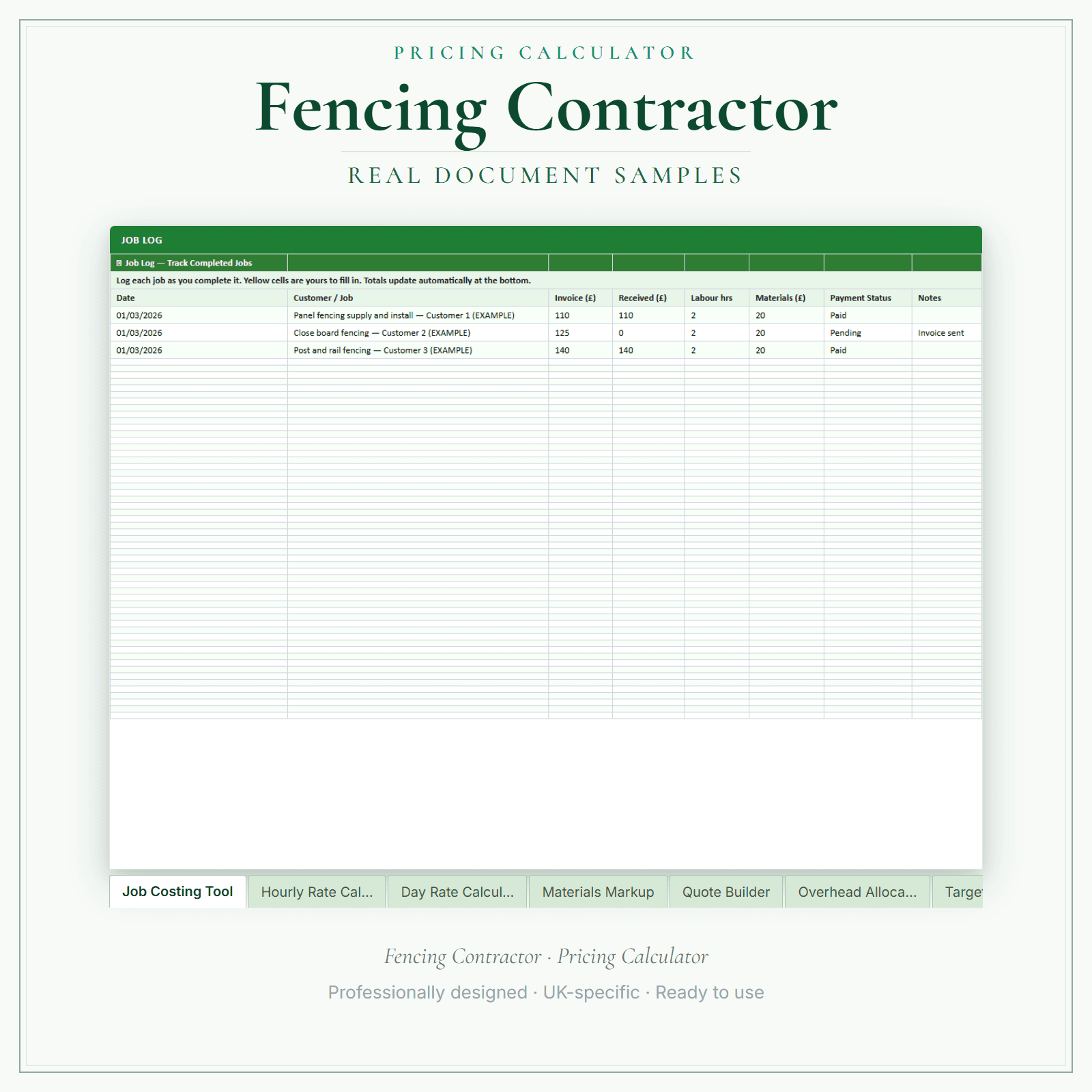
An Excel workbook (.xlsx) for UK fencing contractors. It prices each job as hours × your hourly rate, plus materials with a markup, plus a fixed fee such as a call-out or travel charge, with VAT added if you choose. Quote Builder and Quote Output turn that into a printable quote. The hours, materials and prices in the file are examples for you to replace. The job log and expenses tracker feed five running totals: invoiced, received, progress against your target, expenses and surplus.
Works out each price as hours × your hourly rate, plus materials with a markup, plus a fixed fee such as a call-out or travel charge
Add VAT if you choose, then print the result as a quote
Comes with example figures — replace the hours, materials and hourly rate with your own
Price£14.99
Preview pages
Preview what's inside
In the pack
What's included
- Start Here
- Service Pricing
- Quote Builder
- Quote Output
- Job & Booking Log
- Expenses Tracker
- Dashboard
- How to Use
Preview pages
Who it's for
Who this fencing pack is for
A fence price depends on the run length, the panel and post specification, how hard the digging is and whether old fencing comes away first. The workbook brings those together as hours at your hourly rate, panels, posts and concrete with your markup, and a fixed fee for taking away old fencing or waste. Quote Builder turns it into a printed quote the customer can check against the specification you agreed.
- Fencers quoting close-board, panel and post-and-rail jobs from the same hourly rate.
- Contractors adding removal of old fencing and waste as a fixed fee.
- Businesses rechecking prices when timber and concrete costs change.
Made for the work
Put this product to work.
Work from your own costs and the price you need to charge. Start with the workbook instructions, replace the example inputs and review the calculated quote before sharing it.
Start with a task such as:
Check the hours, rate and materials behind each quote line.
Check the customer details and quote before saving or printing.
- Instant download
- Built in the UK
- One-time purchase
- Secure checkout
- Refund policy
- Support by email
Frequently Asked Questions
How do I receive Pricing Calculator — Premium?
After payment, look for your LaunchKit download email in the inbox you used at checkout. Open its link to your download page and download the files listed for your order. You'll receive your Excel workbook (.xlsx) for Microsoft Excel. Google Sheets import has not been verified; check formulas and print layout if you use it. Keep a copy of your downloaded files. If the email is missing or a link is not working, check your spam or junk folder, then contact hello@yourlaunchkit.co.uk with your checkout email address and order number, if you have it, for help recovering your files.
Can I edit these files?
Use Microsoft Excel to edit the workbook and its pre-built formulas. Start with Start Here, replace the example inputs with your own figures, then save your working copy and review the quote before printing. Google Sheets import has not been verified; check formulas and print layout if you use it.
Is this legal or tax advice?
No. LaunchKit templates are practical business resources. Review against your own circumstances and check suitability for your business.
Can I price taking down the old fence as part of the job?
Yes. Add removal as extra hours or as a fixed fee for disposal, alongside the new materials with your markup. The printed quote then shows one figure for the whole job.
Useful next steps
Useful guides for your business.
Fencing contractor boundary disputes: how to handle neighbour conflict in 2026
For UK fencing contractors, boundary disputes are the single most common reason a job goes wrong. The customer is convinced of where the boundary is, the neighbour disagrees, and the fencing…
Read the guide →How to Start a Fencing Business in the UK
Start a UK fencing business with clear advice on services, quotes, boundaries, planning checks, insurance, waste, pricing and HMRC basics.
Read the guide →Essential business documents every UK fencing contractor should have ready
A self-employed UK fencing contractor needs about eight core documents to run a tidy, defensible business: a written contract of work, a quotation template, a professional invoice, a boundary-line…
Read the guide →Why LaunchKit
Built for the business you actually run.
Every fencing contractor pack is checked so its page says exactly what format you get and what each tier includes. Templates are practical resources, not legal or tax advice — review against your own circumstances before use.
Complete your toolkit
More for Fencing Contractor
Business documents
Business Documents — Premium
17 business-record templates for Fencing Contractor businesses, each supplied as a fillable PDF and an editable DOCX file. Every template is also included in one fill-online HTML bundle: add your business details and brand colour in the sidebar of each template (they are saved per document, not shared between templates), then send clients a locked copy they can fill in with one click. Answers you haven't changed for 60 days are deleted the next time you open the form, and ‘Prepare copy for clients’ clears them; your business details and colour are kept. Type into the PDF fields or use a DOCX-compatible editor to change the business name, logo and wording. The exact delivered-file list is shown on this page. These practical templates do not provide legal, clinical or regulatory advice or certification, and do not replace any official records your work requires.
£19.99View →
Financial formsFinancial Forms Bundle — Premium
12 distinct financial record templates for Fencing Contractor businesses, each supplied as a fillable PDF and an editable DOCX file. Every template is also included in one fill-online HTML bundle: add your business details and brand colour in the sidebar of each template (they are saved per document, not shared between templates), then send clients a locked copy they can fill in with one click. Answers you haven't changed for 60 days are deleted the next time you open the form, and ‘Prepare copy for clients’ clears them; your business details and colour are kept. Type into the PDF fields or use a DOCX-compatible editor to change the business name, logo and wording. The delivered bundle includes a second invoice template under a legacy filename in both formats; it is not counted or advertised as a separate form type. These are templates, not automated spreadsheet software or accounting, tax or legal advice.
£19.99View →