Enter your hours, hourly rate, materials and any fixed fee.
Restaurant
Restaurant Pricing Calculator — Premium
 See all 4 previews
- Work out a price from your hours, hourly rate, materials and a fixed fee
- Includes Service Pricing, Quote Builder and Quote Output, plus 5 more
- Best used in Microsoft Excel · Instant access
Digital downloadBest used in Microsoft ExcelInstant access
1 / 4
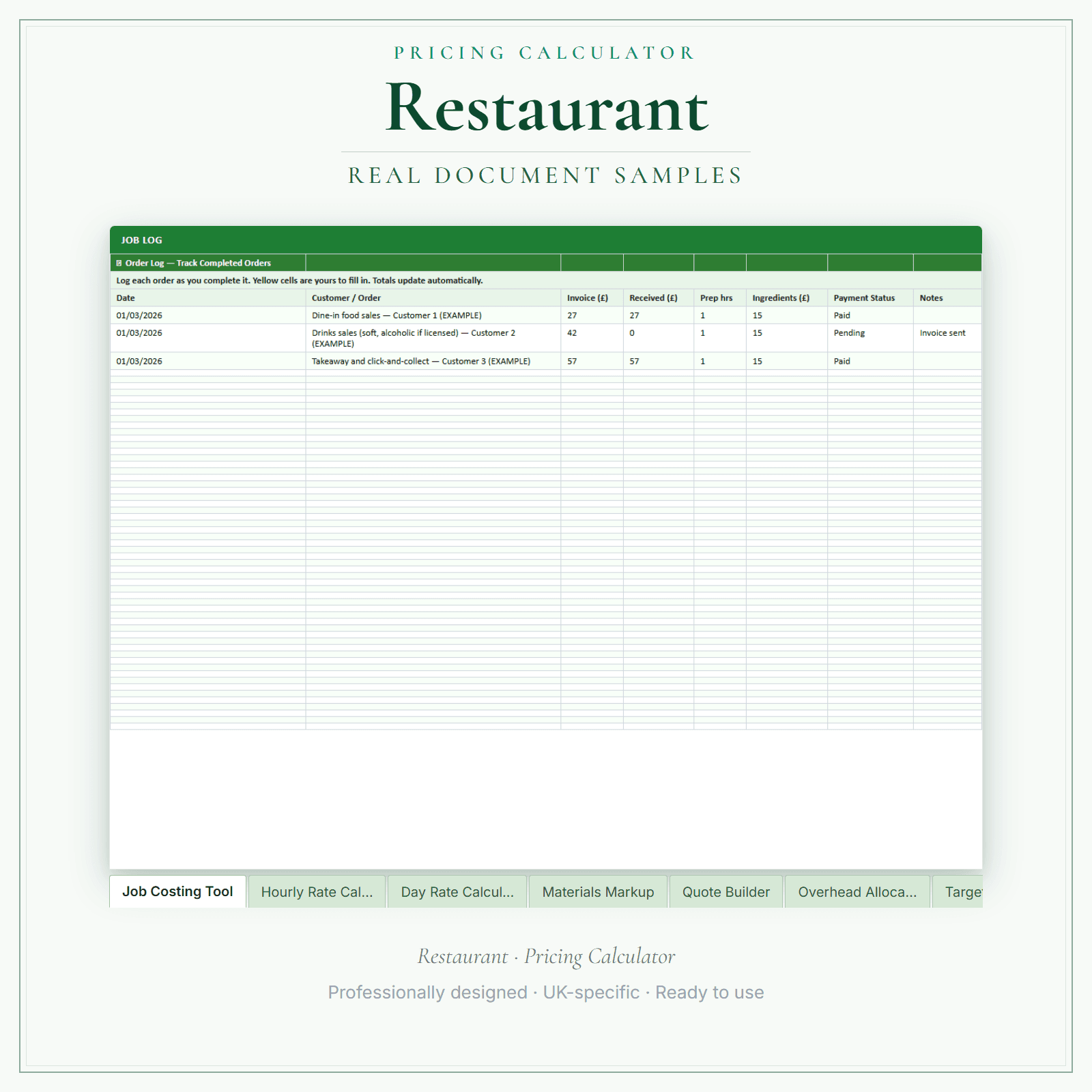
UK restaurants can price each service in this Excel workbook (.xlsx): hours × your hourly rate, plus materials with a markup, plus a fixed fee such as a call-out or travel charge. Add VAT if you choose. The printable quote comes from the Quote Builder and Quote Output sheets, once you replace the example hours, materials and prices. A job log and an expenses tracker keep a dashboard of invoiced, received, progress against your target, expenses and surplus.
Works out each price as hours × your hourly rate, plus materials with a markup, plus a fixed fee such as a call-out or travel charge
Add VAT if you choose, then print the result as a quote
Comes with example figures — replace the hours, materials and hourly rate with your own
Price£14.99
Preview pages
Preview what's inside
In the pack
What's included
- Start Here
- Service Pricing
- Quote Builder
- Quote Output
- Job & Booking Log
- Expenses Tracker
- Dashboard
- How to Use
Preview pages
Who it's for
Who this restaurant pack is for
Menu prices are settled; it is the bookings outside the menu where guesswork creeps in. A private dining room, a set menu for a christening or an outside-catering order each needs a price that pays for the kitchen time as well as the food. Read How to Use first, then build each one in Quote Builder from kitchen and floor hours at your hourly rate, ingredients with your markup, and room hire or delivery as a fixed fee.
- Restaurants that take private dining, set-menu and party bookings and want each quote built from the same method.
- Owners who want kitchen and front-of-house hours counted in the price of a function, not just the ingredients.
- Restaurants offering outside catering who want delivery or room hire added as a fixed fee on the printed quote.
Made for the work
Put this product to work.
Work from your own costs and the price you need to charge. Start with the workbook instructions, replace the example inputs and review the calculated quote before sharing it.
Start with a task such as:
Check the hours, rate and materials behind each quote line.
Check the customer details and quote before saving or printing.
- Instant download
- Built in the UK
- One-time purchase
- Secure checkout
- Refund policy
- Support by email
Frequently Asked Questions
How do I receive Pricing Calculator — Premium?
After payment, look for your LaunchKit download email in the inbox you used at checkout. Open its link to your download page and download the files listed for your order. You'll receive your Excel workbook (.xlsx) for Microsoft Excel. Google Sheets import has not been verified; check formulas and print layout if you use it. Keep a copy of your downloaded files. If the email is missing or a link is not working, check your spam or junk folder, then contact hello@yourlaunchkit.co.uk with your checkout email address and order number, if you have it, for help recovering your files.
Can I edit these files?
Use Microsoft Excel to edit the workbook and its pre-built formulas. Start with Start Here, replace the example inputs with your own figures, then save your working copy and review the quote before printing. Google Sheets import has not been verified; check formulas and print layout if you use it.
Is this legal or tax advice?
No. LaunchKit templates are practical business resources. Review against your own circumstances and check suitability for your business.
Does the Dashboard replace my till reports?
No. The Dashboard totals what you have invoiced and received for quoted bookings, plus expenses and surplus from the trackers, which suits private dining and catering orders. Keep your till system for day-to-day covers and use the workbook for the bookings you quote.
Useful next steps
Useful guides for your business.
How to Start a Restaurant Business in the UK
To start a restaurant business in the UK, prove the numbers before signing premises, register as a food business, build hygiene and allergen records, check licences and lease terms, price the menu by…
Read the guide →Essential business documents for UK restaurants in 2026
UK restaurant owners need several layers of documentation running simultaneously: food safety records under your HACCP system, allergen information for every dish covering all 14 major allergens…
Read the guide →Allergen management for UK restaurants: Natasha's Law, the 14 allergens, and EHO readiness in 2026
Allergen mistakes can be fatal, so they deserve a system: a live allergen matrix, supplier statements, staff training records and a written query procedure. Here's how to build each one, and where to check the official FSA guidance.
Read the guide →Why LaunchKit
Built for the business you actually run.
Every restaurant pack is checked so its page says exactly what format you get and what each tier includes. Templates are practical resources, not legal or tax advice — review against your own circumstances before use.
Complete your toolkit
More for Restaurant
Business documents
Business Documents — Premium
21 business-record templates for Restaurant businesses, each supplied as a fillable PDF and an editable DOCX file. Every template is also included in one fill-online HTML bundle: add your business details and brand colour in the sidebar of each template (they are saved per document, not shared between templates), then send clients a locked copy they can fill in with one click. Answers you haven't changed for 60 days are deleted the next time you open the form, and ‘Prepare copy for clients’ clears them; your business details and colour are kept. Type into the PDF fields or use a DOCX-compatible editor to change the business name, logo and wording. The exact delivered-file list is shown on this page. These practical templates do not provide legal, clinical or regulatory advice or certification, and do not replace any official records your work requires.
£19.99View →
Financial formsFinancial Forms Bundle — Premium
15 distinct financial record templates for Restaurant businesses, each supplied as a fillable PDF and an editable DOCX file. Every template is also included in one fill-online HTML bundle: add your business details and brand colour in the sidebar of each template (they are saved per document, not shared between templates), then send clients a locked copy they can fill in with one click. Answers you haven't changed for 60 days are deleted the next time you open the form, and ‘Prepare copy for clients’ clears them; your business details and colour are kept. Type into the PDF fields or use a DOCX-compatible editor to change the business name, logo and wording. The delivered bundle includes a second invoice template under a legacy filename in both formats; it is not counted or advertised as a separate form type. These are templates, not automated spreadsheet software or accounting, tax or legal advice.
£19.99View →