Choose captions that match the services you want to show.
Bricklayer
Bricklayer Social Media Content Kit
 See all 4 previews
- 65 ready-to-edit captions plus a 4-week posting calendar and scripted Reels, built for UK bricklayers
- Includes Strategy Guide, Caption Library and Seasonal Hooks + Bios, plus 10 more
- 12 PDFs + editable master DOCX · 13 files total
Digital download12 PDFs + editable master DOCX13 files total
1 / 4
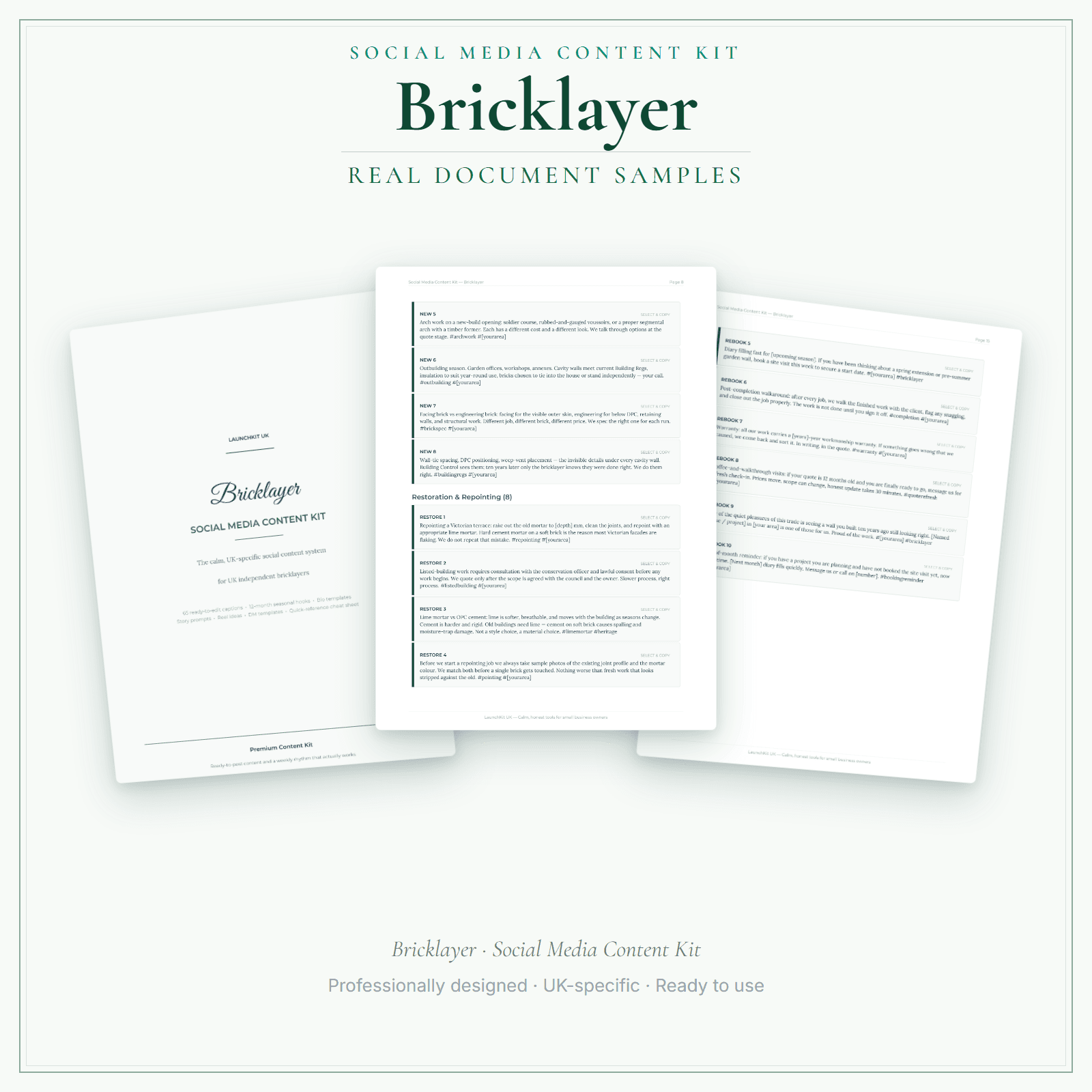
You know social media matters for the business. Homeowners in your area check Instagram before they pick up the phone for an extension quote, compare builders on Google before a site visit, and ask Facebook groups for local-trade recommendations. The bricklayers who show up consistently stay front of mind when it's time to book. But between 6am starts, site visits, mortar mixing and end-of-day tidy, writing a post is the last thing on your list. This kit removes that problem. You get 65 ready-to-edit captions covering the work you actually do — extensions, repointing, garden walls, chimneys, restoration and heritage — plus 10 fully scripted Reels, a 4-week posting calendar, bio and DM templates, and a localisation worksheet. Material honesty is locked (lime vs OPC only where accurate), weather dependency acknowledged (no mortar below 3°C), and before-and-after templates use same-angle pairs. No "best bricklayer in town" hype. Use the localisation worksheet as a reference, then edit the supplied master DOCX to apply your confirmed business details to the captions you choose. This static download does not update every caption automatically. Your download contains 13 files: 00 Start Here PDF, 10 section PDFs, 1 complete master PDF and 1 editable master DOCX.
65 ready-to-edit captions — organised by topic: new builds and extensions, restoration and repointing, garden walls, chimneys, trust and credentials, local and community, services, rebooking and reviews
4-week posting calendar — a day-by-day schedule that tells you exactly what to post and when
Localisation worksheet: record your confirmed business details as a reference, then use the editable master DOCX to personalise the captions you choose manually
Price£4.99
Preview pages
Preview what's inside
In the pack
What's included
- 00 Start Here
- 01 Strategy Guide
- 02 Caption Library
- 03 Seasonal Hooks + Bios
- 04 Templates + DMs
- 05 Stories + Reels
- 06 Cheat Sheet + Platform Notes
- 07 Posting Calendar
- 08 Scripted Reels
- 09 Localisation Worksheet
- 10 Photo Checklist + Rescue Guide
- Master PDF
- Master DOCX
Preview pages
Made for the work
Put this product to work.
Plan posts using the caption bank, reel scripts and calendar. Adapt the chosen text in the master Word document and add your own photos or footage before publishing.
Start with a task such as:
Adapt a reel script to footage you can record.
Arrange the posts you choose in your content calendar.
- Instant download
- Built in the UK
- One-time purchase
- Secure checkout
- Refund policy
- Support by email
Frequently Asked Questions
How do I receive Social Media Content Kit?
After payment, look for your LaunchKit download email in the inbox you used at checkout. Open its link to your download page and download the files listed for your order. You'll receive 13 files: 00 Start Here PDF, 10 section PDFs, 1 complete master PDF and 1 editable master Word (DOCX) file. Use the localisation worksheet as a reference, then manually adapt the captions you choose in the master DOCX; the static files do not update every caption automatically. Keep a copy of your downloaded files. If the email is missing or a link is not working, check your spam or junk folder, then contact hello@yourlaunchkit.co.uk with your checkout email address and order number, if you have it, for help recovering your files.
What exactly do I get?
13 files: 00 Start Here PDF, 10 section PDFs, 1 complete master PDF and 1 editable master DOCX. The section files cover strategy, captions, seasonal hooks, templates, Stories, Reels, platform notes, the posting calendar, localisation and practical photo/rescue guidance.
Can I edit these files?
Yes. Use the localisation worksheet as a reference, then manually adapt the captions you choose in the complete master DOCX. The other 12 files are read-and-reference PDFs: Start Here, 10 section PDFs and the complete master PDF. These static files do not update every caption automatically.
Does this guarantee reach, followers or bookings?
No. It gives you practical captions and a repeatable posting system. It does not promise reach, followers, engagement, leads or bookings.
Useful next steps
Useful guides for your business.
AI copy for bricklayers: three honest routes and three traps to avoid
Bricklayers who rely on word of mouth alone are leaving a consistent stream of enquiries with no first impression to reinforce them. Three honest routes exist for sorting your marketing copy: do it…
Read the guide →How to Start a Bricklaying Business in the UK
Register with HMRC, sort insurance and CIS, get the CSCS card your sites need, quote with waste and access priced in, and put deposits and changes in writing on domestic jobs.
Read the guide →Building Regulations and scope of work for bricklayers: who is responsible for what
On most jobs a bricklayer's part is workmanship to the specification. How to agree who handles design, Building Control and CDM roles, and write it into your scope of works.
Read the guide →Why LaunchKit
Built for the business you actually run.
Every bricklayer pack is checked so its page says exactly what format you get and what each tier includes. Templates are practical resources, not legal or tax advice — review against your own circumstances before use.
Complete your toolkit
More for Bricklayer
Startup guide
Startup Guide
Going self-employed as a bricklayer means more than turning up with a trowel — CSCS registration, CIS subcontractor setup, public liability insurance, builders' merchant accounts, and clear quotes for labour-only versus supply-and-fit work are all worth having in place from the first job. This guide covers business registration, insurance for trade and site work, Building Regulations Parts A/B/C/L where they affect masonry, Party Wall Act considerations, lime mortar versus modern mixes for heritage work, and the first-90-days checklist.
£4.99View →
Business documentsBusiness Documents — Premium
17 business-record templates for Bricklayer businesses, each supplied as a fillable PDF and an editable DOCX file. Every template is also included in one fill-online HTML bundle: add your business details and brand colour in the sidebar of each template (they are saved per document, not shared between templates), then send clients a locked copy they can fill in with one click. Answers you haven't changed for 60 days are deleted the next time you open the form, and ‘Prepare copy for clients’ clears them; your business details and colour are kept. Type into the PDF fields or use a DOCX-compatible editor to change the business name, logo and wording. The exact delivered-file list is shown on this page. These practical templates do not provide legal, clinical or regulatory advice or certification, and do not replace any official records your work requires.
£19.99View →
AI copy kitAI Copy Kit
The Bricklayer AI Copy Kit is a ready-made communication toolkit for customer messages, emails and reusable prompts. You receive 4 core documents — AI Copy Kit Main, Copy Banks, Email Templates and Automation Guide — each supplied as an editable DOCX and a read-only reference PDF: 8 files in your download. Copy and customise the wording for your services, area, prices and policies. The kit does not write or publish content automatically; use the prompt formulas with your own AI tool if you choose. These are communication templates and prompts, not legal, tax or medical advice, and not a substitute for professional guidance.
£14.99View →