Prepare your Client Registration Intake using the included template.
Gardener Landscaper
Gardener Landscaper Business Documents — Essential
 See all 4 previews
- 5 starter PDF business-record templates for Gardener Landscaper businesses
- Includes Client Registration Intake, Consent Liability Waiver and Service Agreement Terms Conditions, plus 2 more
- PDF + fillable header · Instant access
Digital downloadPDF + fillable headerInstant access
1 / 4
Real-world example
Look inside before you buy.
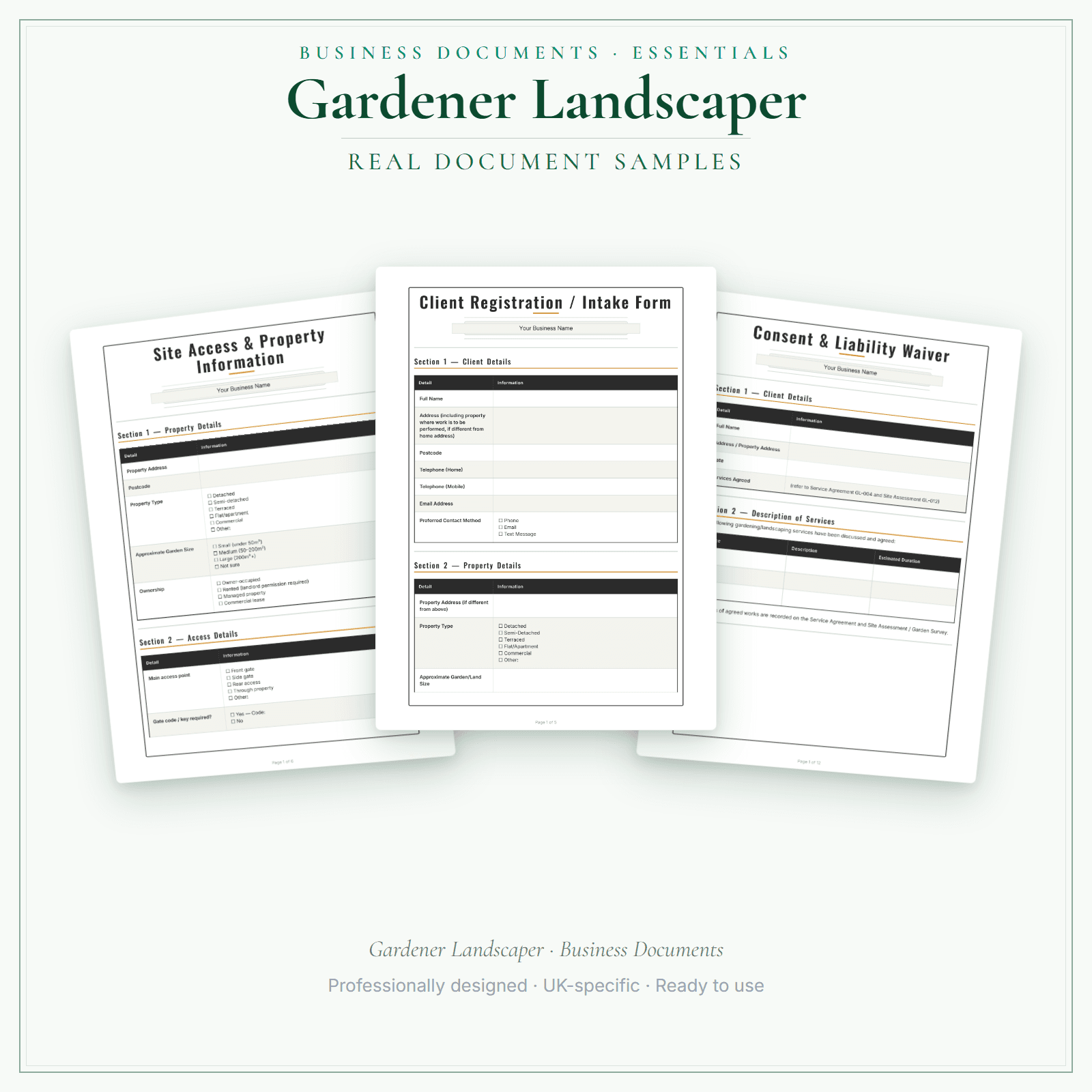
Pages from the Gardener Landscaper Business Documents — Essential.
5 starter business-record templates for Gardener Landscaper businesses, supplied as PDFs with a fillable business-name header. Add your business name, then print the remaining fields to complete by hand or save a flat copy. The exact delivered-file list is shown on this page. These practical templates do not provide legal, clinical or regulatory advice or certification, and do not replace any official records your work requires.
5 PDF templates matching the exact delivered-file list shown on this page
Add your business name in the fillable header, then print or save a flat copy
These practical templates do not provide legal, clinical or regulatory advice or certification, and do not replace any official records your work requires.
Price£5.99
Preview pages
Preview what's inside
In the pack
What's included
- Client Registration Intake
- Consent Liability Waiver
- Service Agreement Terms Conditions
- Service Record Card
- GDPR Privacy Notice
Preview pages
Made for the work
Put this product to work.
Choose the included record that fits the task, add the details for your business and check the finished copy before using it. The contents listed above apply to this tier.
Start with a task such as:
Prepare your Consent Liability Waiver using the included template.
Prepare your Service Agreement Terms Conditions using the included template.
Compare the tiers
How the tiers compare
Document contents vary by tier. Check each tier's exact count and included list, as well as its personalisation and editing options. Pick the format that fits how you want to work.
Scroll sideways to compare tiers.
Compare features
You're viewing
Essential
£5.99
5 distinct form types
Premium
£19.99
18 distinct form types
Delivered as
PDF with fillable business-name header; remaining fields print and handwrite
Fillable PDF, DOCX + browser
Add your business name
Change design colours
Add your own logo
Re-word the body text
Type into every document field
Print or save as PDF
Extra software required
A PDF reader for the header
Only to edit the Word files
You're viewing this
- Instant download
- Built in the UK
- One-time purchase
- Secure checkout
- Refund policy
- Support by email
Frequently Asked Questions
How do I receive Business Documents — Essential?
After payment, look for your LaunchKit download email in the inbox you used at checkout. Open its link to your download page and download the files listed for your order. You'll receive a ZIP of PDF forms — each with a fillable business-name header. Print and complete by hand, or save as a flat PDF. Keep a copy of your downloaded files. If the email is missing or a link is not working, check your spam or junk folder, then contact hello@yourlaunchkit.co.uk with your checkout email address and order number, if you have it, for help recovering your files.
Can I edit these files?
Supplied as PDFs with a fillable business-name header. The rest of each form is designed to print or save as a flat PDF. For fully editable Word files (logo + body text) and the fill-online HTML bundle, choose Premium.
Is this legal or tax advice?
No. LaunchKit templates are practical business resources. Review against your own circumstances and check suitability for your business.
Useful next steps
Useful guides for your business.
Essential business documents for UK gardeners and landscapers in 2026
A UK gardener or landscaper needs records for quotes, visits, seasonal work, materials, waste, customer approvals and invoices. The useful pack is maintenance agreement, job sheet, quote, materials…
Read the guide →Gardener Expense Tracker UK: Stop Overpaying Tax
Gardening and landscaping run on costs that are easy to forget at tax time: green-waste and tip fees, fuel, plants and materials bought job-by-job, and kit that wears out fast. The ones you do not…
Read the guide →Gardener Price List Template UK: Maintenance vs One-Off Pricing
A gardener's price list has two jobs that pull in opposite directions: pricing recurring maintenance and pricing one-off clearances. Put both on one clean service menu and you stop giving away free…
Read the guide →Why LaunchKit
Built for the business you actually run.
Every gardener landscaper pack is checked so its page says exactly what format you get and what each tier includes. Templates are practical resources, not legal or tax advice — review against your own circumstances before use.
Complete your toolkit
More for Gardener Landscaper
Business documents
Business Documents — Premium
18 business-record templates for Gardener Landscaper businesses, each supplied as a fillable PDF and an editable DOCX file. Every template is also included in one fill-online HTML bundle: add your business details and brand colour in the sidebar of each template (they are saved per document, not shared between templates), then send clients a locked copy they can fill in with one click. Answers you haven't changed for 60 days are deleted the next time you open the form, and ‘Prepare copy for clients’ clears them; your business details and colour are kept. Type into the PDF fields or use a DOCX-compatible editor to change the business name, logo and wording. The exact delivered-file list is shown on this page. These practical templates do not provide legal, clinical or regulatory advice or certification, and do not replace any official records your work requires.
£19.99View →
Startup guideStartup Guide
Starting out in garden maintenance or landscaping means building a client base in a market driven almost entirely by word of mouth and local reputation. This guide covers business registration, public liability insurance, equipment and vehicle setup costs, pricing maintenance rounds versus one-off landscaping projects, managing seasonal cash flow, and HMRC Self Assessment requirements for a self-employed gardener or landscaping sole trader.
£4.99View →
Pricing calculatorPricing Calculator — Premium
For UK gardener and landscaper businesses, the Excel workbook (.xlsx) builds a price for each visit from hours × your hourly rate, materials with a markup, and a fixed fee such as a call-out or travel charge. VAT is optional. Print it from Quote Builder and Quote Output after you replace the example hours, materials and prices. The dashboard shows invoiced, received, progress against your target, expenses and surplus, drawn from the job log and the expenses tracker.
£14.99View →