Keep customer and recurring-visit details together.
Mobile Beautician
Mobile Beautician Round Management Pack
 See all 4 previews
- Built for mobile beauticians who want their round run without the admin headache
- Includes 5-Sheet Excel Workbook — Start Here · Round · Price Rise Log · Customer Comms Log · Summary, Editable Price-Rise Letter (Word .docx) and Editable Commercial Recurring-Service Agreement (Word .docx), plus 1 more
- Excel workbook + editable Word · Instant access
Digital downloadExcel workbook + editable WordInstant access
1 / 4
Real-world example
See the workbook being used.
A short example using the Mobile Beautician Round Management Pack.
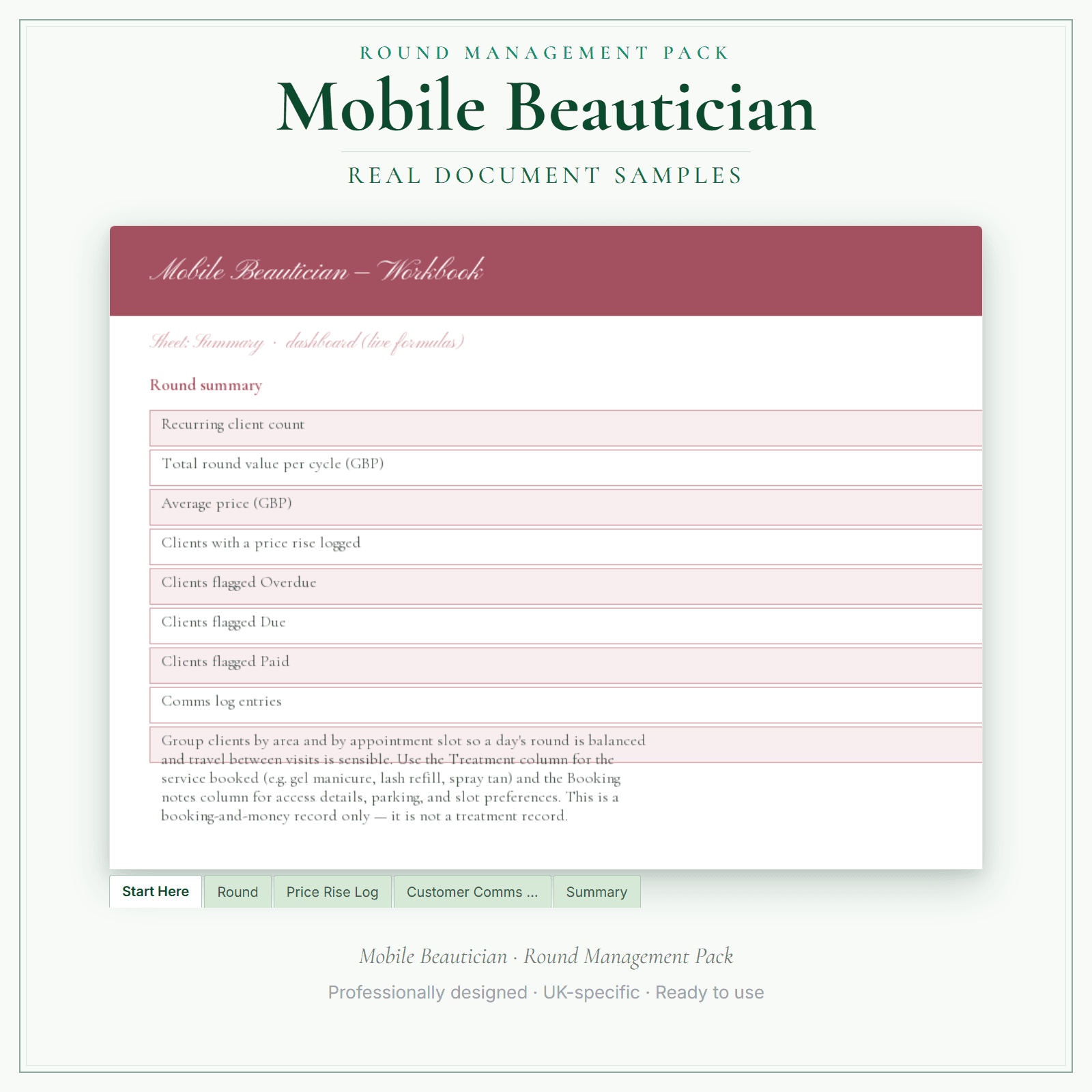
Organise your mobile beauty round. Excel workbook tracks clients, area, treatment, frequency, price, and next appointment. Editable price-rise letter and a commercial recurring-service agreement for care homes, hotels and salons included. Booking and money admin only.
Track every customer, visit, frequency, price and next-due date in one Excel workbook
Raise your prices cleanly with the editable Word price-rise letter — and log who you told
Win and keep commercial work with the editable recurring-service agreement template
Price£9.99
In the pack
What's included
- 5-Sheet Excel Workbook — Start Here · Round · Price Rise Log · Customer Comms Log · Summary
- Editable Price-Rise Letter (Word .docx)
- Editable Commercial Recurring-Service Agreement (Word .docx)
- Setup Guide (PDF)
Preview pages
Made for the work
Put this product to work.
Use the workbook for recurring customer and visit records, and adapt the included letters for your service. Read the setup guide before entering your own round details.
Start with a task such as:
Update completed visits and the next-due dates in the workbook.
Personalise the price-rise letter or recurring-service agreement.
- Instant download
- Built in the UK
- One-time purchase
- Secure checkout
- Refund policy
- Support by email
Frequently Asked Questions
How do I receive Round Management Pack?
After payment, look for your LaunchKit download email in the inbox you used at checkout. Open its link to your download page and download the files listed for your order. You'll receive a ZIP containing the Excel workbook (.xlsx), two editable Word (.docx) templates (your price-rise letter and recurring-service agreement), and the setup-guide PDF. Keep a copy of your downloaded files. If the email is missing or a link is not working, check your spam or junk folder, then contact hello@yourlaunchkit.co.uk with your checkout email address and order number, if you have it, for help recovering your files.
Can I edit these files?
Excel workbook plus editable Word templates. Use Microsoft Excel for the 5-sheet workbook and Microsoft Word for the price-rise letter and recurring-service agreement, then save your own working copies. Google Sheets import has not been verified; check formulas and print layout if you use it. The setup guide is a read-and-print PDF.
Is this legal or tax advice?
No. LaunchKit templates are practical business resources. Review against your own circumstances and check suitability for your business.
Useful next steps
Useful guides for your business.
How to Start a Mobile Beauty Business UK
Start a UK mobile beauty business with licensing checks, hygiene, pricing, consent forms, travel rules and HMRC basics.
Read the guide →Essential business documents for UK mobile beauticians in 2026
A UK mobile beautician needs documents for client forms, treatment records, travel, patch-test notes, booking terms, deposits, aftercare and invoices. The useful pack is consultation form, treatment…
Read the guide →Mobile Beautician Price List Template UK: A Practical Guide
A mobile beauty price list has a cost a salon menu does not: the travel. A list copied from a salon quietly gives away your driving time and your unfilled gaps between appointments. This guide shows…
Read the guide →Why LaunchKit
Built for the business you actually run.
Every mobile beautician pack is checked so its page says exactly what format you get and what each tier includes. Templates are practical resources, not legal or tax advice — review against your own circumstances before use.
Complete your toolkit
More for Mobile Beautician
Business documents
Business Documents — Essential
5 starter business-record templates for Mobile Beautician businesses, supplied as PDFs with a fillable business-name header. Add your business name, then print the remaining fields to complete by hand or save a flat copy. The exact delivered-file list is shown on this page. These practical templates do not provide legal, clinical or regulatory advice or certification, and do not replace any official records your work requires.
£5.99View →
Business documentsBusiness Documents — Premium
18 business-record templates for Mobile Beautician businesses, each supplied as a fillable PDF and an editable DOCX file. Every template is also included in one fill-online HTML bundle: add your business details and brand colour in the sidebar of each template (they are saved per document, not shared between templates), then send clients a locked copy they can fill in with one click. Answers you haven't changed for 60 days are deleted the next time you open the form, and ‘Prepare copy for clients’ clears them; your business details and colour are kept. Type into the PDF fields or use a DOCX-compatible editor to change the business name, logo and wording. The exact delivered-file list is shown on this page. These practical templates do not provide legal, clinical or regulatory advice or certification, and do not replace any official records your work requires.
£19.99View →