Plan setup tasks with the Startup Guide.
Photographer
Photographer Business Starter Stack
Digital downloadFillable PDF + DOCX + HTML, Excel workbook, PDF guideFive files
1 / 4
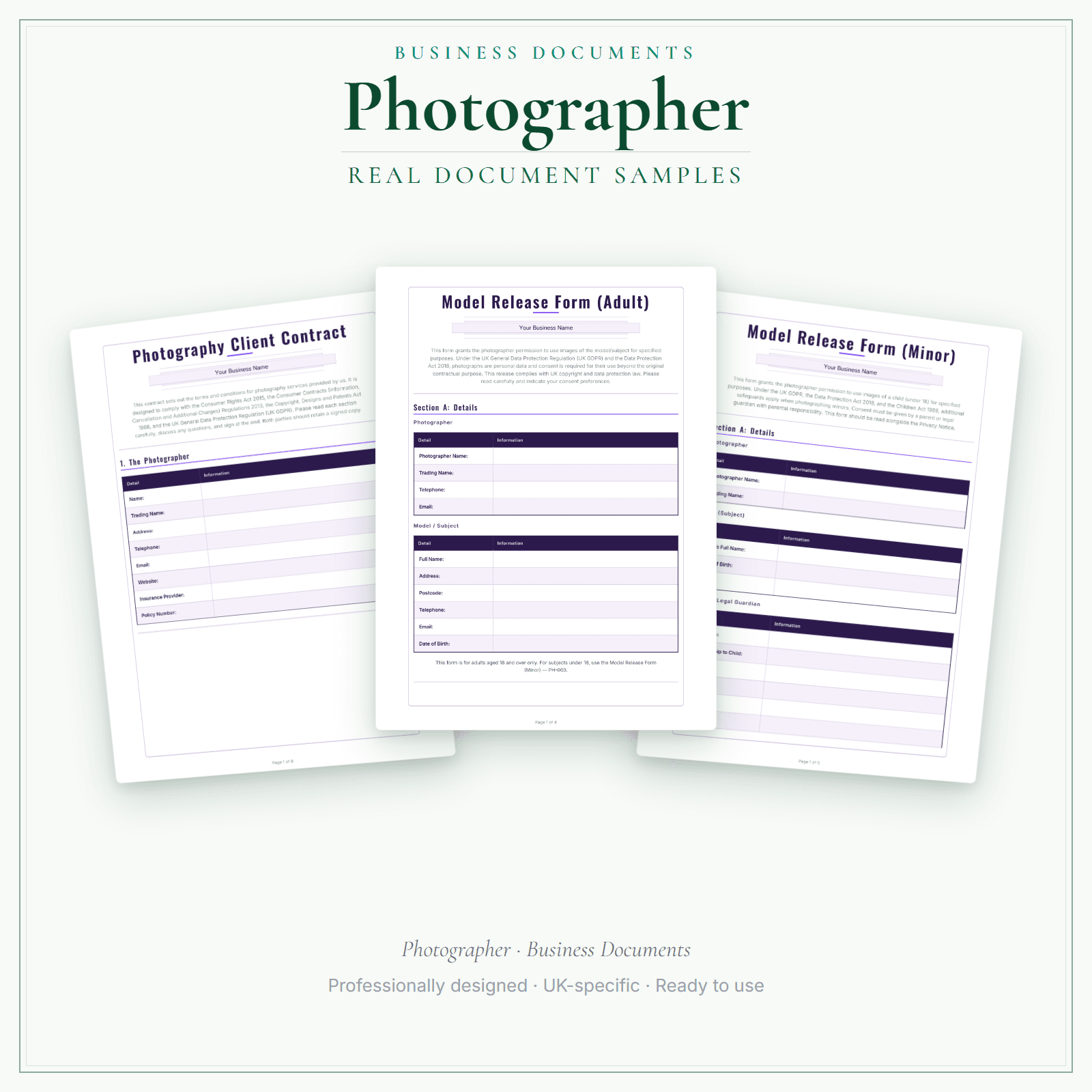
Four products for a photography business in one order: Business Documents Premium (interactive fillable PDFs, editable DOCX files and a separate fill-online HTML bundle — two downloads), the Pricing Calculator Premium Excel workbook, the Startup Guide PDF and the Price List & Service Menu (interactive HTML, editable DOCX and a How-to-Use Guide PDF). Client contracts, adult and minor model releases, wedding agreements, print release licences, session booking forms and digital gallery delivery agreements sit alongside a pricing workbook, a startup guide that covers kit and start-up costs, insurance and your first 90 days, and an A4 price list that sets out full-day and half-day weddings, portrait and mini sessions, headshots, events, commercial work and prints on one sheet. The pricing workbook works out each price as hours × your hourly rate, plus materials with a markup, plus a fixed fee, with VAT added if you choose, and prints a quote; its example prices are placeholders for you to replace with your own. Delivered as five files — the same files those products deliver on their own.
Business Documents Premium: interactive fillable PDFs, editable DOCX files and a separate fill-online HTML bundle covering client contracts, adult and minor model releases, wedding agreements, print release licences, session booking forms and digital gallery delivery agreements
Pricing Calculator Premium: an Excel workbook that works out a price from your hours, hourly rate and materials, plus a fixed fee and optional VAT
Startup Guide PDF and the Price List & Service Menu (interactive HTML, editable DOCX and a How-to-Use Guide PDF) — five files in total, the same files each product delivers on its own
The Price List & Service Menu arrives pre-filled with weddings, portraits and headshots, events, commercial work and prints and extras — replace the example prices with your own
In the pack
What's included
What's in the stack
- Business Documents Premium£19.99
Interactive fillable PDFs plus editable DOCX files, and a separate fill-online HTML bundle (two downloads)
View product - Pricing Calculator Premium£14.99
Excel workbook (.xlsx) — use Microsoft Excel; check formulas and layout after importing into other spreadsheet apps
View product - Price List & Service Menu£4.99
Interactive HTML price list (edit in your browser), editable DOCX and a How-to-Use Guide PDF
View product
four products — £44.96 bought separately
Delivered as five files
- Business Documents Premium — interactive fillable PDF + editable DOCX bundle (ZIP)
- Business Documents Premium — fill-online HTML bundle (ZIP)
- Pricing Calculator Premium — Excel workbook (.xlsx)
- Startup Guide — print-ready PDF
- Price List & Service Menu — interactive HTML + editable DOCX + How-to-Use Guide PDF (ZIP)
Preview pages
Made for the work
Put this product to work.
Start with the guide, personalise the business documents, work through your costs in the calculator and prepare your service menu. Each included product keeps its own format and instructions.
Start with a task such as:
Prepare a business record with the Premium document templates.
Work out prices in the calculator, then present them in your price list.
- Instant download
- Built in the UK
- One-time purchase
- Secure checkout
- Refund policy
- Support by email
Frequently Asked Questions
How do I receive Business Starter Stack?
After payment, look for your LaunchKit download email in the inbox you used at checkout. Open its link to your download page and download the files listed for your order. You'll receive five secure download links, one per file. Business Documents Premium arrives as two downloads: interactive fillable PDFs plus editable Word (.docx) files, and a separate fill-online HTML bundle. The Pricing Calculator Premium is an Excel workbook (.xlsx) for Microsoft Excel. Google Sheets import has not been verified; check formulas and print layout if you use it. The Startup Guide is a print-ready PDF. The Price List & Service Menu is a ZIP containing the interactive HTML price list, an editable DOCX version and a How-to-Use Guide PDF. These are the same files those four products deliver on their own. Premium ships blank; Studio does not automatically pre-fill any file in this stack. Keep a copy of your downloaded files. If the email is missing or a link is not working, check your spam or junk folder, then contact hello@yourlaunchkit.co.uk with your checkout email address and order number, if you have it, for help recovering your files.
What exactly do I get?
Four products delivered as five files: Business Documents Premium — interactive fillable PDF + editable DOCX bundle (ZIP); Business Documents Premium — fill-online HTML bundle (ZIP); Pricing Calculator Premium — Excel workbook (.xlsx); Startup Guide — print-ready PDF; Price List & Service Menu — interactive HTML + editable DOCX + How-to-Use Guide PDF (ZIP). Each file is the same file that product delivers when bought on its own.
How does the price compare with buying the four products separately?
Four products — £44.96 bought separately. The stack is £34.99 as a single order, and nothing about the products themselves changes.
Can I edit these files?
It depends on the file. Business Documents Premium supplies interactive fillable PDFs plus editable Word (.docx) files, and its separate fill-online HTML bundle lets you add your business details and brand colour in a browser and fill in the fields on screen. The Pricing Calculator is an Excel workbook with pre-built formulas: use Microsoft Excel, enter your numbers and review the results. Google Sheets import has not been verified; check formulas and print layout if you use it. The Price List & Service Menu is edited in your browser (interactive HTML) or in Microsoft Word (editable DOCX). In the browser version, use the editor's buttons to download an editable copy of your working HTML for later changes, or to print or export a PDF for a separate customer-facing copy. The Startup Guide is a PDF to read or print and is not designed for editing. Premium ships blank for you to personalise; it is not automatically pre-filled from a website.
Is this legal or tax advice?
No. LaunchKit templates are practical business resources. Review against your own circumstances and check suitability for your business.
Real reviews
What customers say
Swipe to read more customer reviews →
Useful next steps
Useful guides for your business.
Starting a Photography Business: UK Booking and Pricing Guide
To start a photography business in the UK, pick a paid niche before buying more kit, build a booking and deposit workflow, understand copyright and releases, price the full shoot-to-delivery process,…
Read the guide →Photographer Client Contract Template UK: The Clauses That Protect Your Fee
Most disputes can be traced to one missing line in the booking contract. This guide walks a UK photographer through the clauses that actually get tested: cancellation, the deposit, image rights and…
Read the guide →How to talk about price with a hesitant client without dropping your rate
A prospective client asks for your price. You quote it. There's a pause. They say "that's a bit more than I was hoping" or "let me think about it" or "I'll need to check with my partner."
Read the guide →Why LaunchKit
Built for the business you actually run.
Every photographer pack is reviewed for accurate format and tier disclosure. Templates are practical resources, not legal or tax advice — review against your own circumstances before use.
Complete your toolkit
More for Photographer
Financial forms
Financial Forms Bundle — Premium
14 distinct financial record templates for Photographer businesses, each supplied as a fillable PDF and an editable DOCX file. Every template is also included in one fill-online HTML bundle: add your business details and brand colour in the sidebar of each template (they are saved per document, not shared between templates), then send clients a locked copy they can fill in with one click. Answers you haven't changed for 60 days are deleted the next time you open the form, and ‘Prepare copy for clients’ clears them; your business details and colour are kept. Type into the PDF fields or use a DOCX-compatible editor to change the business name, logo and wording. The delivered bundle includes a second invoice template under a legacy filename in both formats; it is not counted or advertised as a separate form type. These are templates, not automated spreadsheet software or accounting, tax or legal advice.
£19.99View →
AI copy kitAI Copy Kit
The Photographer AI Copy Kit is a ready-made communication toolkit for customer messages, emails and reusable prompts. You receive 4 core documents — AI Copy Kit Main, Copy Banks, Email Templates and Automation Guide — each supplied as an editable DOCX and a read-only reference PDF: 8 files in your download. Copy and customise the wording for your services, area, prices and policies. The kit does not write or publish content automatically; use the prompt formulas with your own AI tool if you choose. These are communication templates and prompts, not legal, tax or medical advice, and not a substitute for professional guidance.
£14.99View →
Social media kitSocial Media Content Kit
You know social media matters. The photographers in your area who post regularly stay visible when someone starts planning a wedding, books a newborn shoot, or finally decides their LinkedIn headshot needs replacing. The feed is where shortlists are made long before the first enquiry email lands. But between shoots, edits, client galleries, and the endless email back-and-forth on dates, sitting down to write a caption is the last thing on your list — you cull a set, think "I should post a frame from that golden-hour wedding shoot," close the app, and a month goes by. This kit removes that problem. You get 64 ready-to-edit captions covering the work you actually do — weddings, family and portraits, branding and headshots, commercial and product, events, behind-the-scenes and gear, print and album sales, seasonal mini-shoots, trust and standards, local and community, bookings, rebooking and reviews. Captions are organised by topic and written in plain UK English so they sound like your studio the moment you drop in your details. Plus 10 fully scripted Reels, a 4-week posting calendar, bio templates for Instagram, Facebook and Google Business, DM and reply templates, and a localisation worksheet that makes every caption sound like your business, not a template. Use the localisation worksheet as a reference, then edit the supplied master DOCX to apply your confirmed business details to the captions you choose. This static download does not update every caption automatically. Your download contains 13 files: 00 Start Here PDF, 10 section PDFs, 1 complete master PDF and 1 editable master DOCX.
£4.99View →